
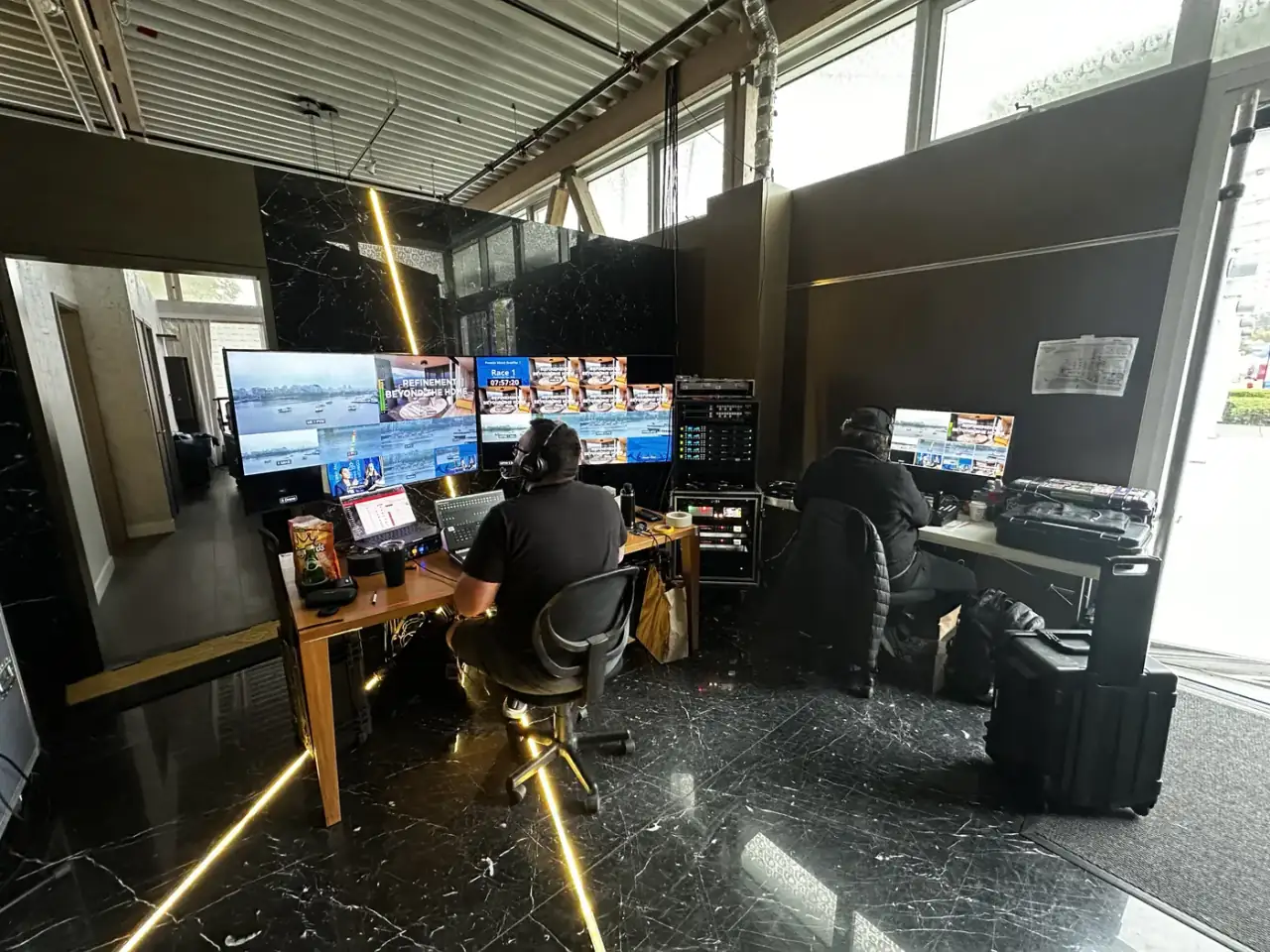
A launch that lives on a laptop still has to feel like an event.
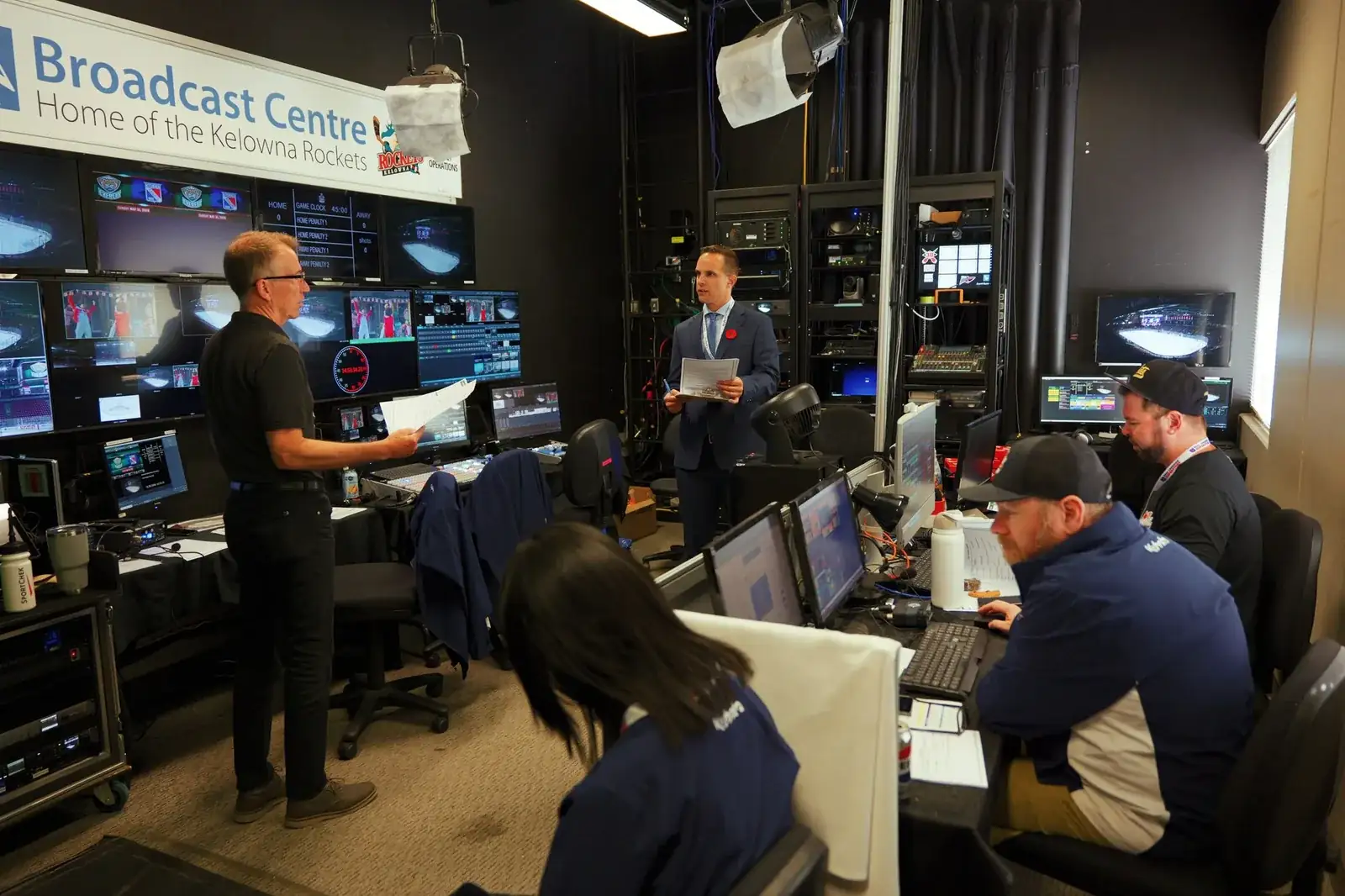
SW treats it more like a live production. Depending on the client's budget, we like using multiple cameras, professional lighting, graphics, product demonstrations, and well-planned transitions to keep the audience engaged. The goal is to create an experience for the online audience.
What the production needs
- Treat it like a television production rather than a Zoom meeting
- Multiple camera angles
- Proper presenter lighting
- Branded background or scenic set
- Product close-ups and demonstration cameras
- Dedicated show caller or producer
- Separate audio and video technicians
- Graphics and video tested on the actual playback system
- Audience interaction through polls, questions or chat
- Full technical rehearsal
How long the online audience actually stays
You are building a run of show against an attention budget, and there is published data on roughly how big that budget is. ON24's 2024 benchmarks put average live engagement at 53 minutes, with 56 percent of registrants turning up as attendees (ON24, 2024 Digital Engagement Benchmarks). Its 2025 report puts average live engagement at 49 minutes (ON24, Webinar Benchmarks 2025). Both sets describe ON24's own platform and lean heavily toward B2B webinars, so they are platform benchmarks and not an industry survey. Read that way, they still settle an argument that comes up on most launch planning calls. A 90 minute program runs well past the point where the average online room thins out, and the demonstration you care about most should not be sitting in the last 20 minutes of it.
The launch is also an asset
The same 2025 report puts average on demand viewing at 30 minutes. That is the more useful figure for a product launch, because it says the recording gets watched, and watched in pieces. It changes how you build the show more than how long you run it. Shoot the demonstration so it stands on its own without the introduction in front of it. Keep titles and lower thirds consistent so a clip pulled out of the middle still reads as yours. Decide what recordings you want as deliverables before show day rather than after, because the record paths have to be configured in the switcher and tested during rehearsal like everything else.
Reach and trust are different jobs
It is worth knowing what a virtual launch does not do before you promise it will do everything. Freeman's Trends Report Q1 2024, a survey of nearly 2,100 business event attendees fielded in November 2023 with a margin of error of plus or minus two points, found that seven out of ten respondents preferred to receive training and professional content in person, an increase of seven percent over the previous year, and that in person events were chosen as the most trustworthy source of information by four out of five respondents (Barbara Palmer, "What Event Attendees Want Now," PCMA Convene, January 16, 2024). Ken Holsinger, Freeman's senior vice president of strategy, put the test plainly in the same article: "if the attendee doesn't have their objectives met, nothing else matters in the entire ecosystem." A virtual launch buys reach, and reach is a real thing to buy. Treat it as reach and the production decisions get easier.
Where the rehearsal earns its place
Rehearsal is the line that gets cut first and costs the most. Mason Freitas, a production specialist at AVL Solutions, told Meetings Today that "if your general sessions have a lot of moving parts, there needs to be a walk-through, at least for the main players" (Rob Carey, "Setting the Stage: Expert Advice for Affordable, Effective AV and Production," Meetings Today, May 15, 2026). Jim Russell, global head of business events services at Maritz, described in the same article what the rehearsal is for on the crew side: "Rehearsal is also for the production team to get familiar with presenters and slides, entry/exit transitions and timing of music." On a launch, that list gets longer. The demonstration camera has to be framed on the actual product, in the actual lighting, with whoever is handling it standing where they will stand.
Questions worth settling early
- Who is producing, meaning who calls the show while it is running
- Where the presenters are physically sitting or standing, and whether any of them are remote
- What the product demonstration needs in the way of a table, a second camera, or a hand model
- What the audience is being asked to do during the show, and who is watching the questions
- What recordings you want afterward, and in what form
- When the content is locked, and when the rehearsal happens against locked content